Tap into the future of fare payment
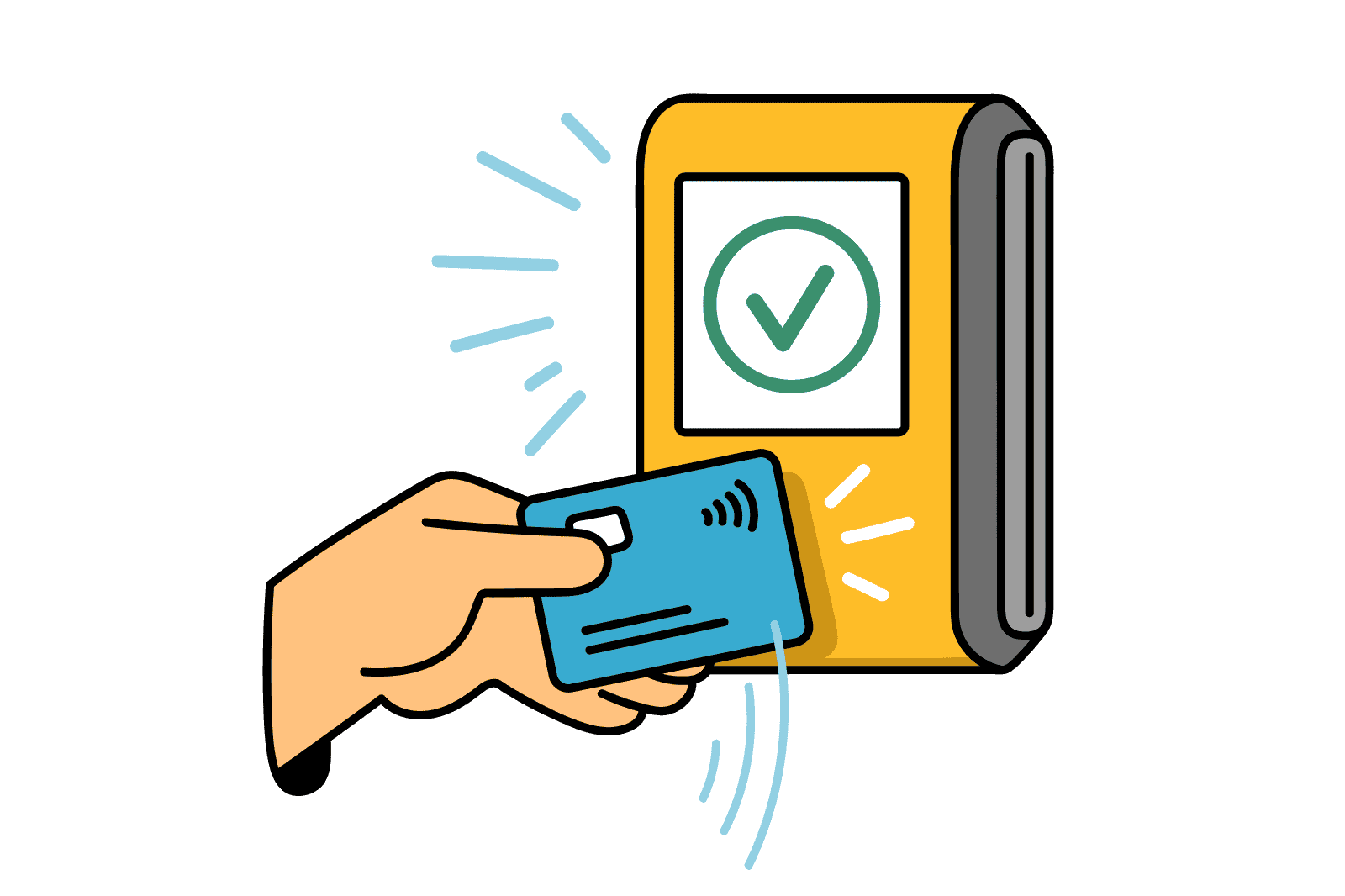
California is making it easier for transit providers to accept contactless open loop payments, including credit, debit, prepaid cards, and mobile wallets and enabling tap to pay on their systems through competitively awarded contracts.
Nearly 75% of Californians have access to a contactless bank card, and most have a smart device. Travelers are more likely to choose transit if they can use what’s already in their pocket to pay for it. Tap to pay can help agencies to increase ridership, speed up boarding and save on overhead costs for handling cash on-board and at ticket vending machines. Learn more about how contactless payments and tap to pay works.
Transit providers can take advantage of California’s Master Services Agreements (MSAs) to purchase hardware and software needed to accept contactless payments.
Learn where to start, what tools and resources you need, and how to effectively plan your tap to pay rollout
- Prepare: Ensure you have the baseline technology needs (i.e. a connected fleet and GTFS-Realtime) and assess your funding needs.
- Review: Read the pre-negotiated contracts for Payment Processors, Transit Processors (fare calculation software), PADs (Payment Acceptance Devices); these MSAs are available to purchase from DGS↗ (no further competitive bidding needed). Estimate your maximum program costs.
- Scope: Draft SOW requirements and engage vendors for pricing and project detail.
- Purchase: Select vendor(s) to contract with and sign a User Agreement with each vendor.
- Launch: Implement tap to pay across your fleet. Cal-ITP can provide technical assistance and support along the way!
We’re excited to offer tap to pay to make it easy for customers to choose public transportation. Cal-ITP’s free support helped us save the hassle and expense of running our own procurement while modernizing our fare systems with contactless hardware and fare-calculation and payment-processing software.
Go contactless with tap to pay
Prepare
Data connection is required to enable tap to pay fare collection
- Check out the pre-negotiated data plans, as your agency may be eligible to upgrade and save on monthly costs.
Verify your GTFS Realtime feeds are valid and up-to-date. GTFS Realtime is required if you have distance or zoned-based fares, and is recommended for all fare types.
- Explore pre-negotiated GTFS Realtime MSAs or connect with a Cal-ITP Account Manager for support.
Review your fare policy and identify opportunities to simplify
- Check out Cal-ITP's Statewide Fare Guidelines Toolkit for more.
Prepare your stakeholders
- If you need an informational presentation to share with your staff, leadership, or board of directors, please review the Contactless Payments Introduction
Assess funding options
Projects resulting from these MSAs may be funded through grants from the FTA↗, Caltrans↗ and other sources of local and state public funding. Check with your funding agencies.
Estimated cost ranges
Costs are influenced by many factors, including:
- Fleet size
- Number of payment acceptance devices (PADs) per vehicle (plus spares!)
- Monthly fare revenue
- Total transactions processed using open loop
The MSA Cost Estimation Tool will help you create cost estimates for purchasing contactless payment hardware and software services. This workbook helps transit agency staff to:
- Compare MSA-awarded vendors’ maximum prices
- Develop ballpark estimates for budgeting purposes and board presentations
- Make scoping decisions as you prepare to email vendors
The prices in this workbook are maximums, and transit agencies are strongly encouraged to reach out to vendors directly for tailored pricing. Prices may be reduced and/or fee categories waived at vendors’ sole discretion.
Review MSAs
Agencies can purchase from the MSAs for Payment Acceptance Devices (Category A) and Transit Processor Services (Category B), as well as the Electronic Payment Acceptance Services (EPAY) MSAs, to begin accepting contactless open loop payments.
Assess vendors
Click on each MSA for terms and conditions.
PADs (Payment Acceptance Devices) MSAs
Onboard, on-platform, and mobile fare inspection devices that are equipped to read riders’ contactless bank cards and smart devices.
| Vendors | MSAs | Transit Processor integrations |
|---|---|---|
| INIT | 5-21-70-28-01 |
|
| Kuba | 5-21-70-28-02 |
|
| SC Soft | 5-21-70-28-03 |
|
Transit Processors MSAs
Software that instantly determines the correct fare for a trip based on distance, applicable discounts, and frequency of travel.
| Vendors | MSAs | Rider benefits & discounts | Fare calculation |
|---|---|---|---|
| Bytemark | 5-21-70-28-04 | Not integrated with Cal-ITP rider benefits |
|
| Enghouse | 5-21-70-28-05 |
|
|
| INIT | 5-21-70-28-01 | Not integrated with Cal-ITP rider benefits |
|
| Littlepay | 5-21-70-28-06 |
|
|
Payment Processors MSAs
Software embedded in fare validators that transmits money from a rider’s bank card to the Transit Provider’s bank account.
| Vendors | MSAs | Types of transactions | Payment networks |
|---|---|---|---|
| Fiserv* | 5-22-70-22-02 |
|
|
| Elavon* | 5-22-70-22-01 |
|
|
*Available to California agencies only.
Draft a Scope of Work (SOW)
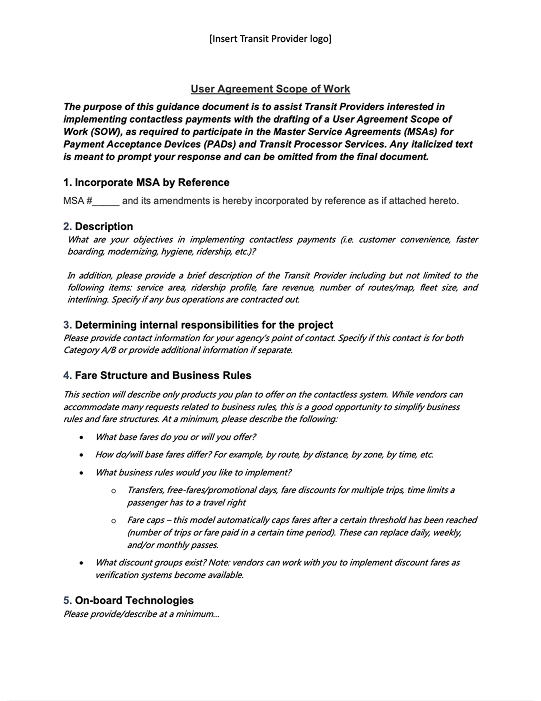
Draft a scope of work using Cal-ITP's SOW Template. Completing an SOW will assist your agency with key decisions as you work toward purchasing hardware and software services. Be sure to specify your operating goals, technical environment, and any must-have features or services. Your Cal-ITP Account Manager can offer guidance and review your SOW before sending it to vendors. hardware and software services. Be sure to specify your operating goals, technical environment, and any must-have features or services. Your Cal-ITP Account Manager can offer guidance and review your SOW before sending it to vendors.
Engage vendors
Send SOW
We recommend sending the SOW to all MSA-awarded hardware and software services vendors. You can find their contact information in the MSA User Instructions document (which is linked from each vendor’s contract number).
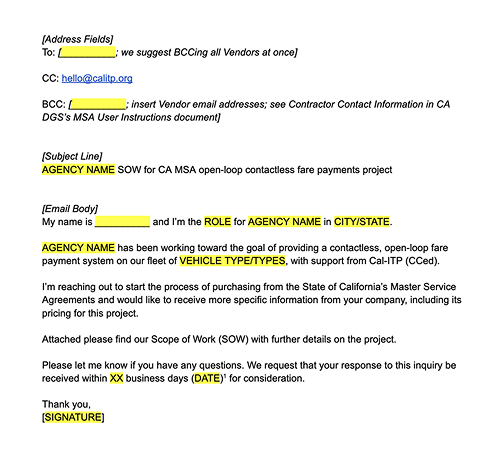
You can use this email template to send out your SOW, cc: hello@calitp.org. Unless otherwise specified by the transit agency, each vendor is expected to respond within five business days of receiving the SOW.
Select vendor to purchase from
Look over the proposals you receive from each vendor and decide which vendors you want to negotiate with. When you reach an agreement, you’re ready to place your order by signing a User Agreement contract for your purchases. The User Agreement contract can be this Sample User Agreement or the Standard Agreement (STD 213↗); The User Agreement will incorporate the terms of the MSA by reference, contain the scope of work, describing all finalized vendor expectations, and payment provisions.
Implementation
Get ready to launch
CCal-ITP can work with you to develop an operational launch plan for your agency, covering key elements such as:
- Hardware installation
- Fare calculation software configuration
- Payment processor onboarding
- End-to-end testing
- Soft launch to full launch
- Setting up finance dashboards
Additionally, marketing materials are available, which can be used for website copy and rider communications.
Leverage a phased-approach
Consider approaching your roll out of tap to pay in phases. Riders will be able to benefit from this new, easier way to pay immediately. Then, you can continue to add additional features like additional discount offerings, multi-agency fare products , and payment options for the un/underbanked to grow your tap to pay system over time.
Maintenance and support
Cal-ITP is here to help! Please download and review our Support Framework - a document you can fill in and use to provide information to your internal team(s) about roles and responsibilities, common troubleshooting steps, how to manage your vendor relationships and how to monitor key performance outcomes.
Additional info
Commonly asked questions
What are MSAs?
The California Department of General Services (DGS), in collaboration with Cal-ITP, conducted a Request for Proposals (RFP) that established six competitively awarded Master Service Agreements (MSAs), contracts that allow U.S. public transportation providers to purchase directly from California’s DGS without further competitive bidding.
The MSAs allow any local government entity that operates public transportation services (“transit providers”) to purchase goods and services off of California’s MSAs. Out-of-state transit providers can also participate. Each transit provider should determine whether use of the MSAs is consistent with its procurement policies and regulations.
Projects resulting from these MSAs may be funded through grants from the Federal Transit Administration (FTA), and/or the State of California, California Department of Transportation (Caltrans), and other sources of local and state public funding. Check with your funding agencies.
I understand there are 3 contracts needed to enable contactless payments, can we pick and choose across categories? Are prices transparent for agencies?
There are 3 hardware vendors, 4 transit processor vendors, and 2 acquirers available to choose from. As per the MSA, all vendors are required to be interoperable with one another, allowing agencies to elect any combination of vendors. As some integrations may not be complete, please confirm with vendors for availability, timeline, and additional cost.
Pricing is publicly available for all vendors within the MSA documents. A cost estimate tool is available for agencies to estimate costs for hardware and transit processor services. This document contains absolute maximums per line item; agencies should expect to negotiate costs within these limits.
Can I buy alongside multiple agencies?
Yes, Cal ITP has supported group-buys that fit different regional needs in payment and contracting, and can help guide the development of a memorandum of understanding.
How can I support unbanked riders?
We can advise on getting un/underbanked riders access to specialized, low- to no-cost accounts through Bank On.
Can I contract with Elavon or Fiserv directly or do I need to do a competitive bid?
You are free to complete a sole source purchase if your procurement rules allow you to do so. The important consideration is understanding certification timelines and costs associated with integrating the other parts of your system (your PADs and Transit Processor) with the Payment Processor of your choice.
What is a payment gateway and is this a separate contract?
A payment gateway transmits card information from your transit processor to the acquirer to facilitate a transaction. If you decide to contract with Elavon, a gateway is provided as part of the EPAY agreement (Cybersource is the gateway provider). You may need to engage with the payment gateway provider as part of the initial set-up, but this will be facilitated by either your payment processor or your transit processor.
Can I bring my own acquirer? [existing city/state banking relationship/contract]
Yes, please! Please ensure that your acquirer can process mass transit transactions (MTT), which are different from retail transactions.
How much are my merchant service/interchange rates?
For California agencies, this information can be found in Elavon and Fiserv’s respective EPAY agreements.
For out of state agencies, Elavon has agreed to extend EPAY Terms, Conditions and Pricing from California to other agencies. Please confirm this with Elavon, as Cal-ITP will not have visibility of these terms. Similarly, California’s “transit program” interchange discount for regulated debit cards - administered through Visa and Mastercard - will also apply.
Not in California?
Not in California? Non-California agencies may still be eligible to purchase hardware and transit processor services. Follow the process described above and incorporate the MSA into your contract. The MSAs listed on this site are examples of a “state purchasing schedule.” These schedules are agreements between a state or related entity and vendor(s) to provide goods or services at agreed-upon prices. Fundamentally, state purchasing schedules are designed to accommodate other parties that may enter into and benefit from the agreements in the future. You’ll sign a contract with the vendors directly. However, the terms and conditions (and pricing!) from the MSA are incorporated by reference in the contract that you will sign. You can use a California STD-213 or another DGS approved user agreement or equivalent. Please reach out to your desired acquirer directly for payment processing services.
Still have questions? Email us at hello@calitp.org.
Downloadable resources
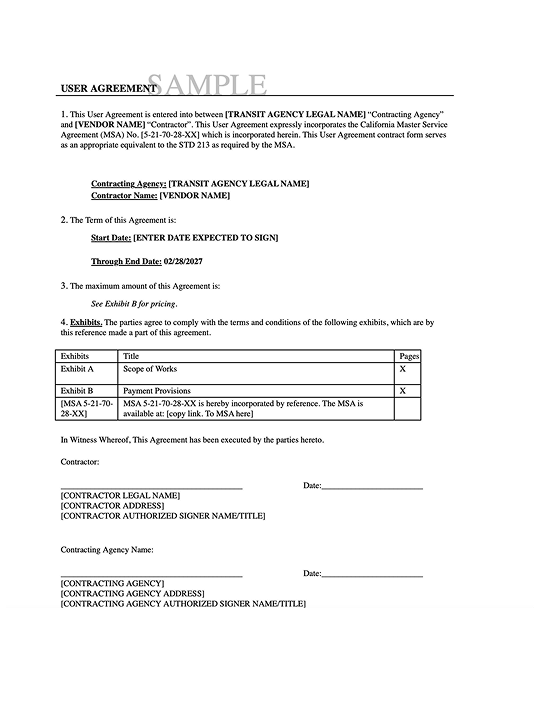
Sample User Agreements
To enter into contract with your selected vendor
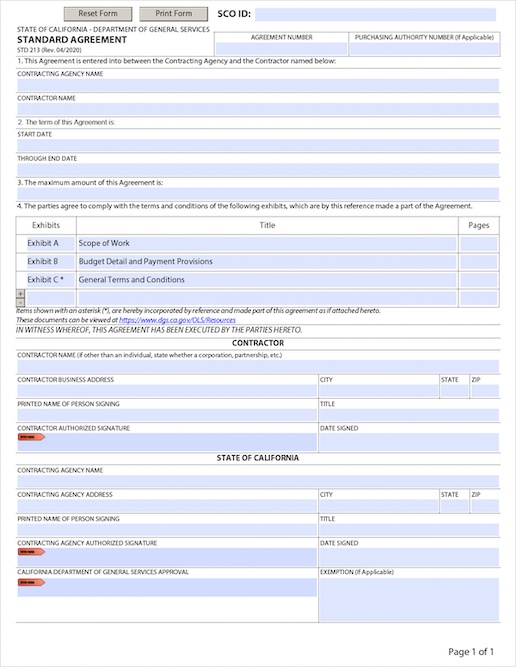
Standard Agreement
To enter into contract with your selected vendor
Scope of work template
Document your project needs and goals to send to vendors
Email templates
To facilitate vendor outreach
Statewide Fare Guidelines Toolkit
Contactless Payments Introduction
To enter into contract with your selected vendor
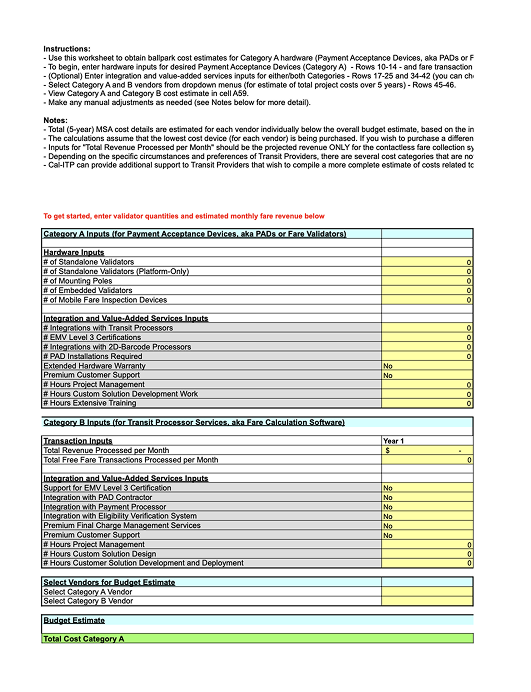
MSA Cost Estimation Tool
To enter into contract with your selected vendor
Marketing materials
To facilitate customer communications and marketing